2016年7月21日 星期四

Outlook 通訊錄存取錯誤


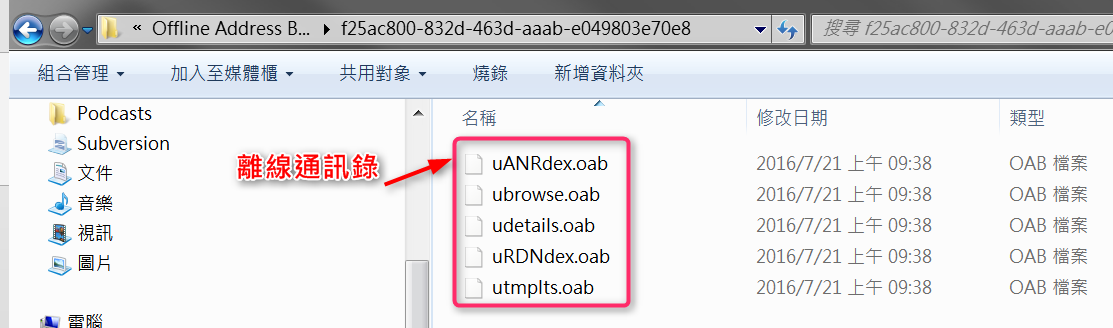
Outlook 離線通訊錄 (.oab)
離線通訊錄 (.oab) 是由 Microsoft Exchange Server 帳戶所使用, 其中所含的資訊 (例如姓名、電子郵件地址、職稱和辦公室位置) 是來自執行 Exchange 之伺服器上的全域通訊清單 (GAL)。
您不需要備份或還原這個檔案。這個檔案會自動建立和更新。
Windows 7 和 Windows Vista    drive:\Users\[user]\AppData\Local\Microsoft\Outlook\Offline Address Books
Windows XP    drive:\Documents and Settings\user\Local Settings\Application Data\Microsoft\Outlook\Offline Address Books


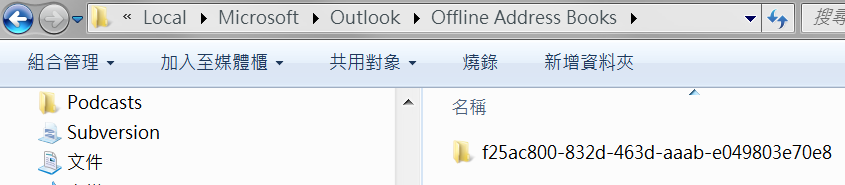
為了 Outlook 重新產生 「離線通訊錄」, 到以下路徑
drive:\Users\[user]\AppData\Local\Microsoft\Outlook\Offline Address Books
將相關資料夾刪除後, 重新開啟 Outlook 就會將 Exchange 通訊錄重新同步下來


2016年7月6日 星期三

VMWare 虛擬機檔案 「匯出 ovf 範本」 後 無法直接於 ESXi 5.5.0運用


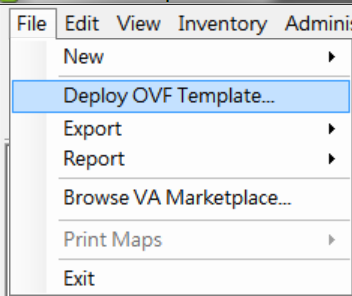
匯出 ovf 範本 後使用部署方式


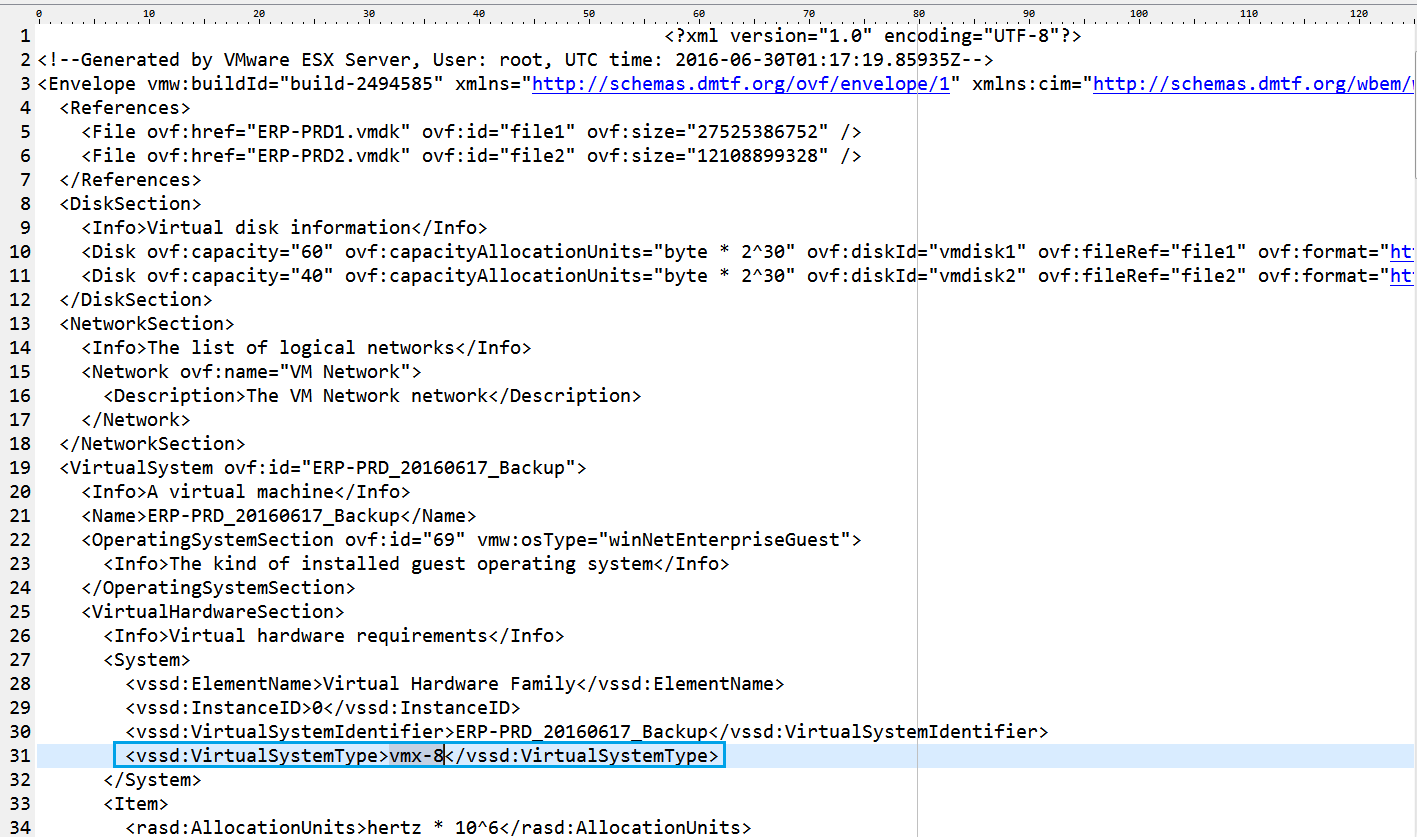
顯示 VMX-11 無法作業訊息

處理方式:變更.ovf 檔案: 原VMX-11 修改為 VMX-8


顯示訊息

處理方式:將 .mf 檔案中 .ovf 驗證部分刪除

2016年6月30日 星期四

SQL Server Call DB2 Procedure 的方式

因為系統需要進行 SQLServer 與 DB2 資料的異動,並需要進行雙方資料的交易管制
於網路上搜尋到相關資訊設定,經測試成功


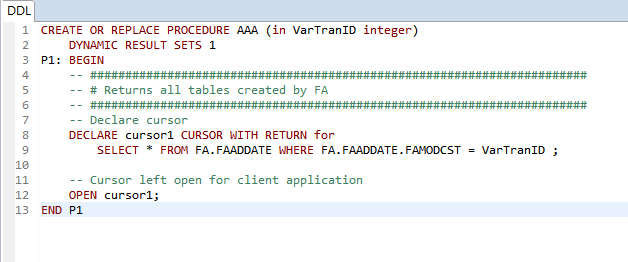
DB2 FA上建立 Procedure
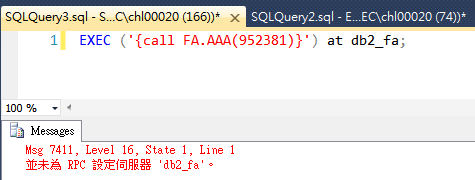
於SQL Server 上 Call DB2 Procedure 出現錯誤


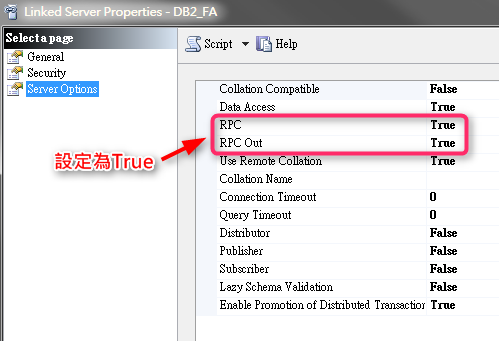
設定 該 「Liked Server」

將RPC 都設定為 true

1. The first RPC setting is mainly for a legacy feature called Remote Server, which is documented here. http://msdn.microsoft.com/en-us/library/ms190187.aspx
You probably will not be using remote servers in SQL Server 2005 -SQL Server 2014 versions.
If you do happen to use “remote servers”, the RPC setting enables a certain security feature. If it is turned off, when the second server (the one receiving the login attempt from the first server to which the client connected) tries to validate the remote login, it fails with error
18482 “Could not connect to server ‘%.*ls’ because ‘%.*ls’ is not defined as a remote server. Verify that you have specified the correct server name. %.*ls.”


2. The RPC OUT  setting is very pertinent to linked servers on SQL Server 2005 -SQL Server 2014 versions.
Think about an RPC (Remote Procedure Call) as being a stored procedure being run remotely from Server 1 to linked Server 2 “myserver”.
There are various syntaxes, the first using 4 part naming servername.databasename.schemaname.procedurename , the second here using EXECUTE(databasename.schemaname.procedurename ) AT servername convention.
We can test with a simple procedure sp_helpdb that lives in master database, and will list out the databases and some of their key properties.
  • EXEC [myserver].master.dbo.sp_helpdb
  • EXEC (‘master.dbo.sp_helpdb’) AT myserver
These kind of remote stored procedure calls will be blocked unless RPC OUT is set to True.
Msg 7411, Level 16, State 1, Line 1  Server ‘myserver’ is not configured for RPC.


[參考資料]

How to Use a Microsoft SQL Server Linked Server to Access DB2 with StarSQL
https://docs.starquest.com/Supportdocs/techStarSQL/StarSQLODBC/ThirdPartyApplications/SQ004_UsingLinkedServers.shtml

What is the RPC and RPC Out option on a SQL Server linked-server?
https://blogs.msdn.microsoft.com/jason_howell/2014/10/01/what-is-the-rpc-and-rpc-out-option-on-a-sql-server-linked-server/


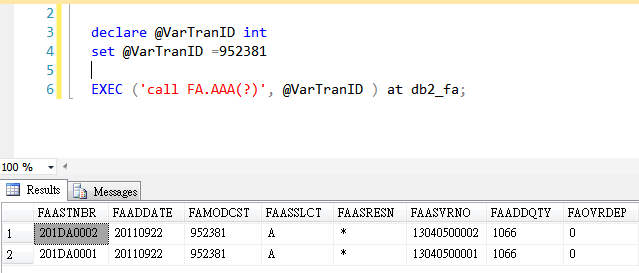
執行結果


2016年6月28日 星期二

VMWare ESXi 5.5 忘記密碼 與 設定於 Datastore 上的虛擬主機


ESXi 5.5 忘記密碼時,官方網站建議重新進行安裝,

進行安裝選項需選擇Install ESXi, preserve VMFS datastore」可以重新設定 ROOT 密碼後,再將 Datastore 主機設定到「Add to Inventory」,設定方式摘要如下:


若忘記密碼時選擇 Install ESXi, preserve VMFS datastore
  • Upgrade ESXi, preserve VMFS datastore
    升級現有的 ESXi (不清除設定),同時保留 ESXi 系統本身所在硬碟的 datastore
  • Install ESXi, preserve VMFS datastore
    重新安裝 ESXi (清除所有設定),但保留 ESXi 系統本身所在硬碟的 datastore
  • Install ESXi, overwrite VMFS datastore
    重新安裝 ESXi (清除所有設定),且清除 ESXi 系統本身所在硬碟的 datastore


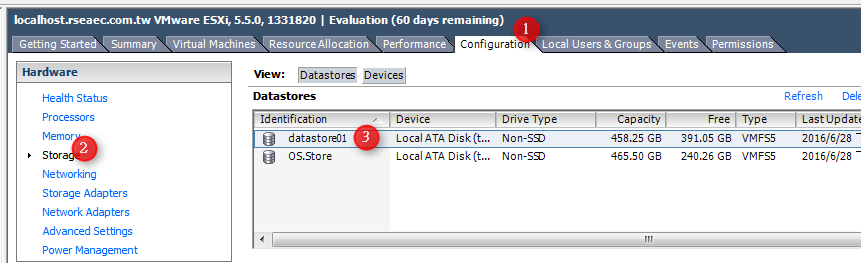
設定已經存在 DataStore 虛擬機的步驟

一、進入「DataStore」


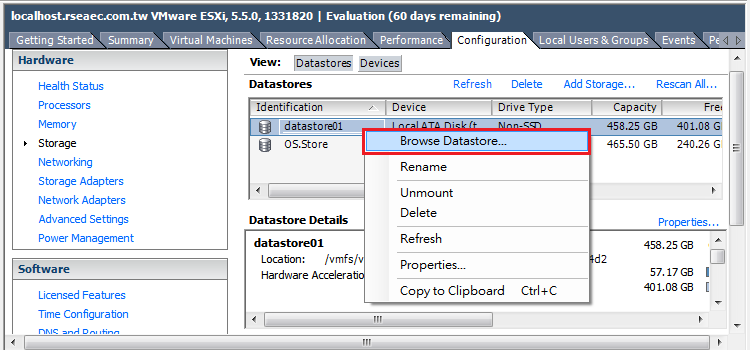
二、滑鼠右鍵➔選擇「Browse Datastore」


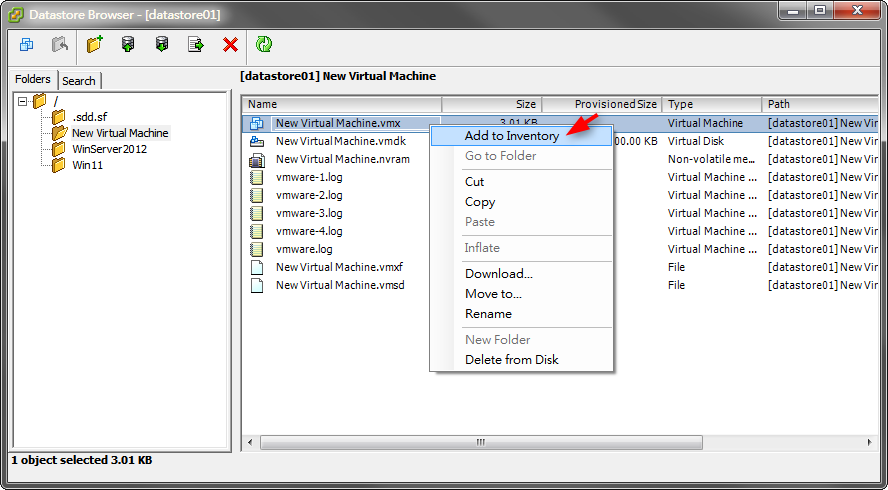
三、進入Folder 選擇 .VMX 檔案➔「Add to Inventory」


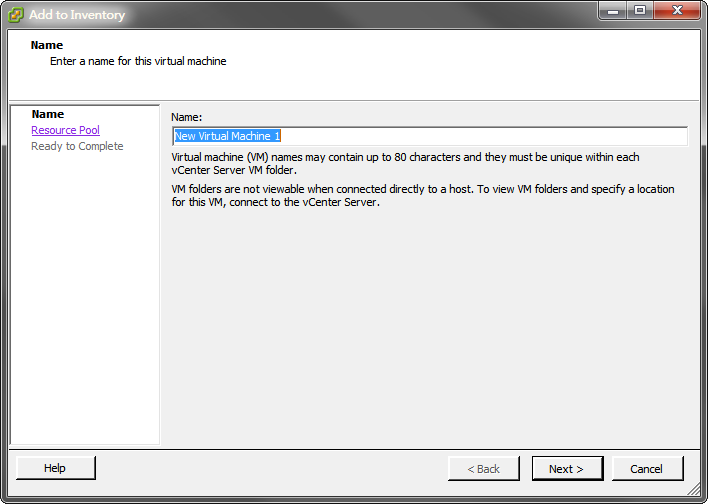
四、輸入虛擬機名稱


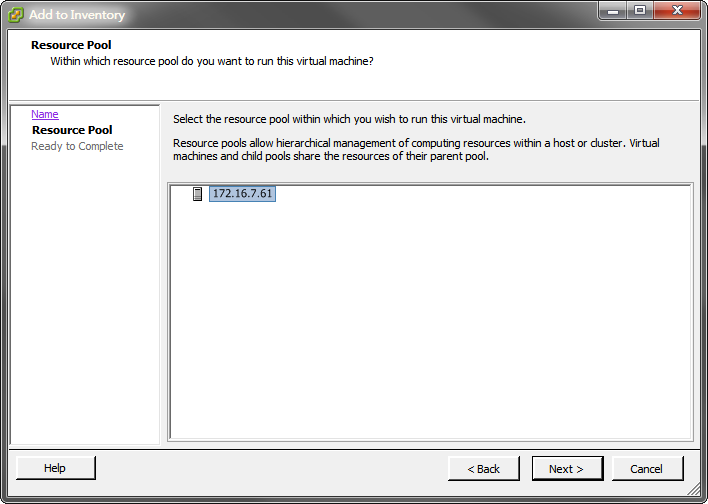
五、指定 Resource Pool


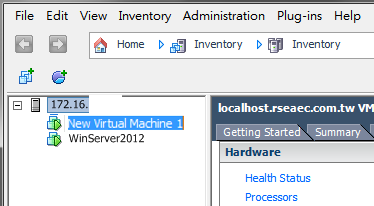
六、等待處理時間後,就可以使用了


2016年6月23日 星期四

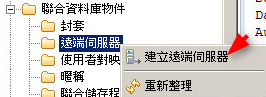
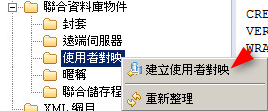
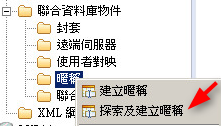
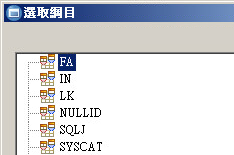
DB2 跨資料庫存取設定 Federation 功能

在 SQL Server 上跨資料庫的 Access 很容易, 但是在 DB2 跨資料庫存取就沒那麼簡單囉

經過 Google 國外資訊測試成功囉, 紀錄下來可讓有需求的「冰油」參考

DB2 版本要9以上才有支援  Federation 跨資料庫存取的功能!

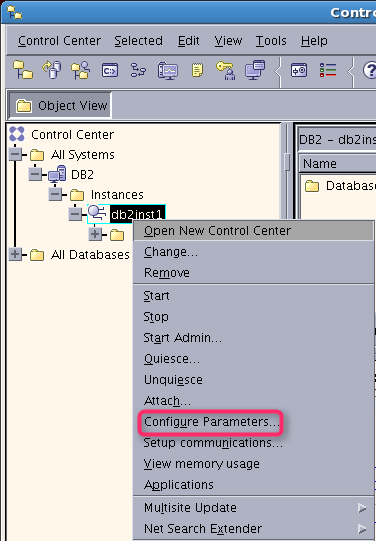
一、開啟DB2 管理UI,將設定啟用use DB2 Federation 功能

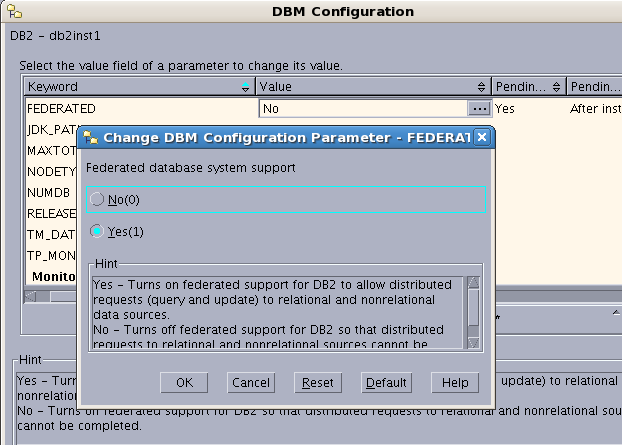
二、設定啟用Federated 功能(預設為NO)


三、DB2 停止+啟用 讓設定生效
db2stop/db2start


四、授權 帳號僅可以 Select 資料庫 某一個 Table [PA001] 權限
Step#1:
以DB管理帳號登入 另一不同資料庫 - LKPA

Step#2:
執行 Grant 授權 SQL:可用其他帳號 select 該DB 的 一個 Table


五、設定 WARPPER


六.設定遠端 Server


七、設定 Mapping


要產生DLL後+執行


設定對應 Table的 Nikename


僅可以查詢無法進行Update


八、以設定「遠端 Table Name」(資料庫沒有該實體 Table) Check 是否可以正確 select


<參考資訊>


2016年6月18日 星期六

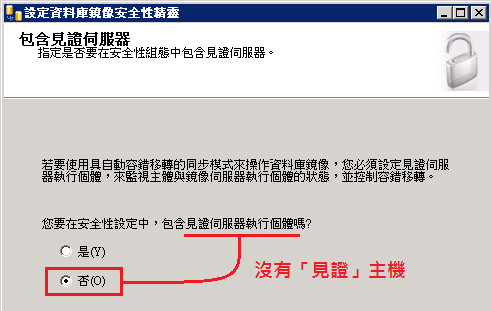
設定 SQL Server 2008R2 Mirror 鏡像 容錯機制設定 (無見證主機)


有關這方面的設定資料,很多書籍與網路上都沒有將各設定步驟詳細的說明
希望做成紀錄後,可以造福其他需要設置此機制的朋友.


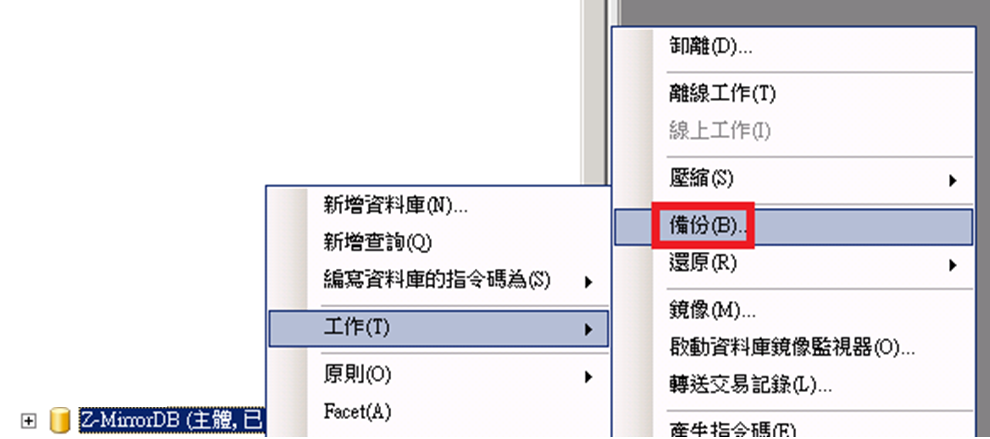
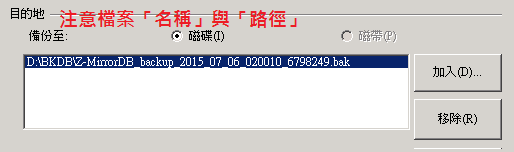
  1. 主體SQLServer:完整備份+差異備份資料庫


  1. 鏡像SQLServer:
設定另一mirror DB:這個設定好像不是必要的!!


  1. 將Step(一)進行「還原資料庫」都需要點「選項」/「讓資料庫保持不運作」


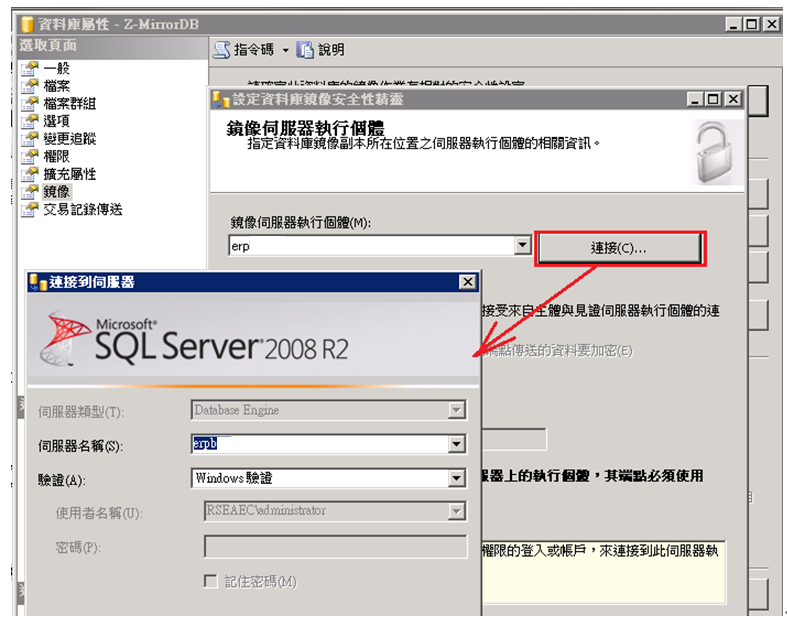
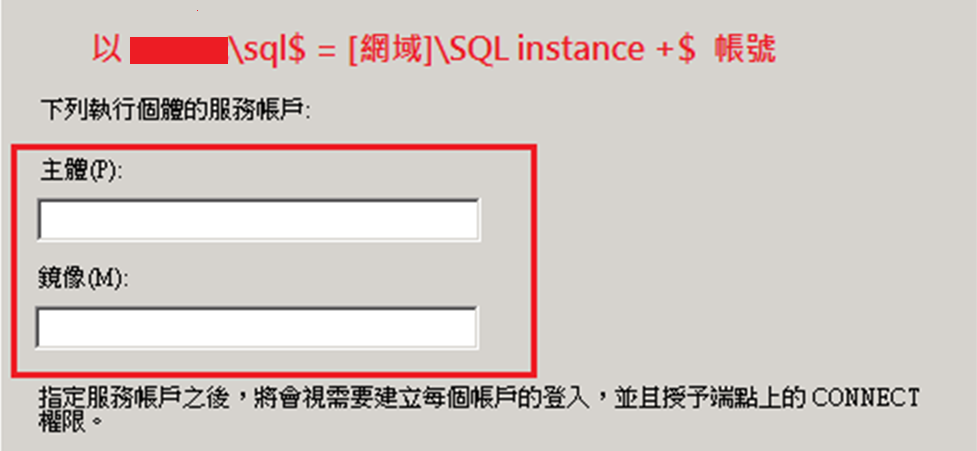
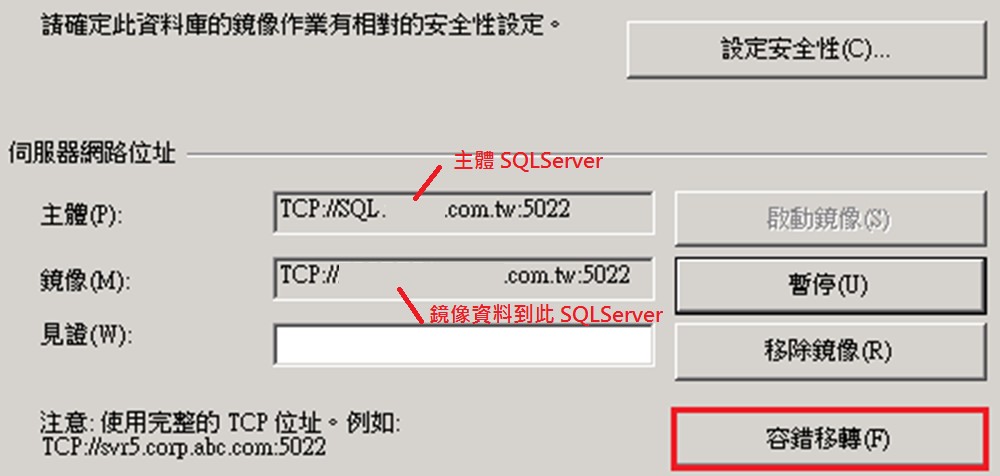
  1. 以「Domain/administrator」進入「主體SQLServer」設定「鏡像」


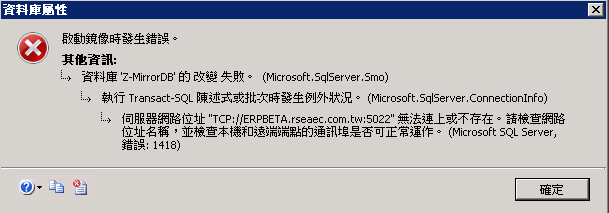
  1. 啟動鏡像錯誤:

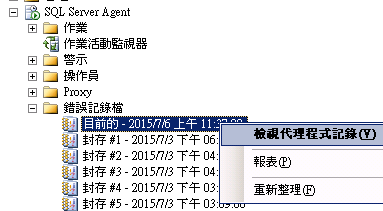
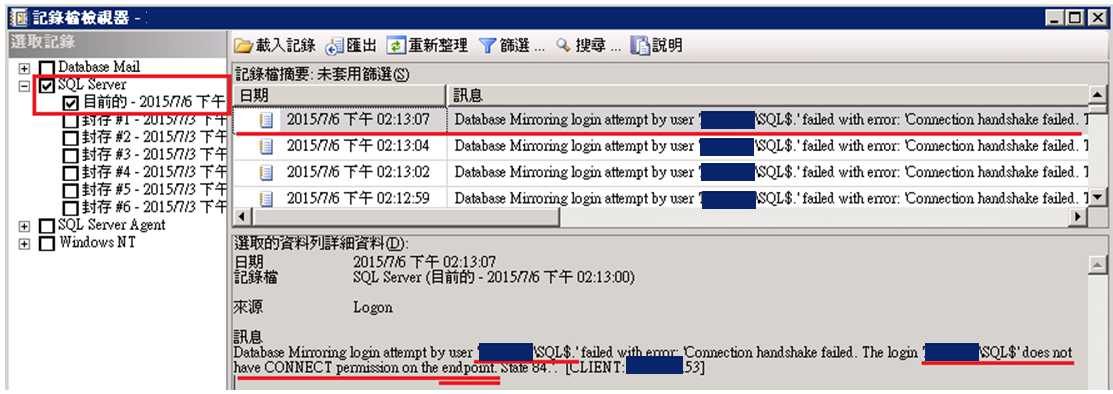
  1. 在遠端的SQLServer check ERROR:


日期 2015/7/6 下午 02:13:07
記錄檔 SQL Server (目前的 - 2015/7/6 下午 02:13:00)
來源 Logon
訊息Database Mirroring login attempt by user '[DOMAIN]\SQL$.' failed with error: 'Connection handshake failed. The login '[DOMAIN]\SQL$' does not have CONNECT permission on the endpoint. State 84.'.  [CLIENT: X.X.X.53](主體SQLServer)


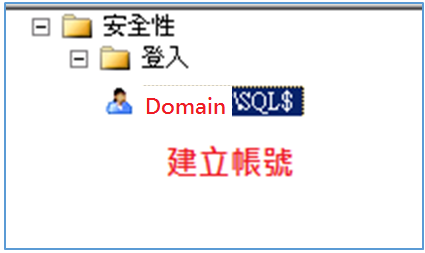
  1. 設定該端點使用權限
7.1 Mirror端建立帳號:

7.2  Mirror端設定有存取權限:
grant connect on ENDPOINT:: [鏡像] to  [Domain\SQL$] or 之前設定時:

  1. 「容錯移轉」:「主體端」與「鏡像端」互換


  1. 當「主體端」故障後以「鏡像端」DB作為運作:


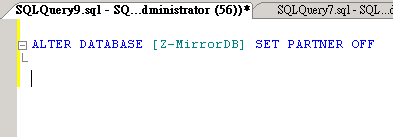
1.先對鏡像端打以下指令移除鏡像
執行:ALTER DATABASE [Z-MirrorDB] SET PARTNER OFF


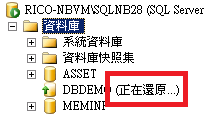
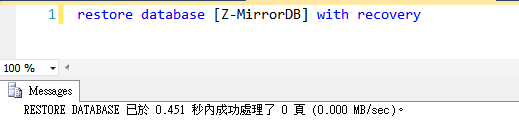
2.恢復資料庫可使用狀態
Mirror database is not accessible when Mirroring is stopped.網頁連結
執行:restore database [Z-MirrorDB] with recovery